Install LuaTools Plugin
Install
Windows only
The LuaTools app is currently available on Windows only.
- Get the app from https://lua.tools/app
- Go to Plugin
- Install!
Usage
- Add a game:
- Go to its store page →
"Add via LuaTools"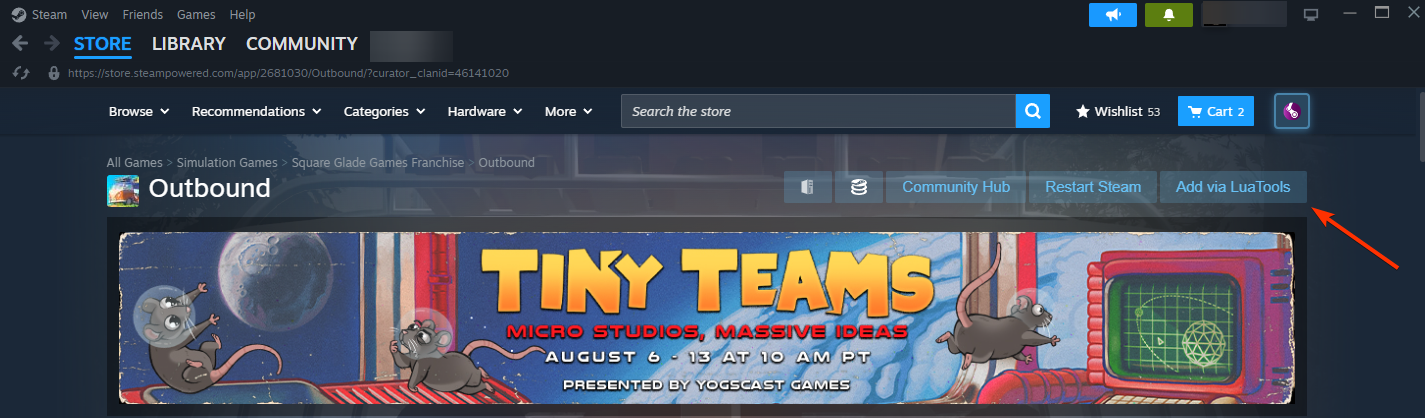
- Go to its store page →
- Remove a game:
- Go to its store page → LuaTools icon →
"Remove via LuaTools"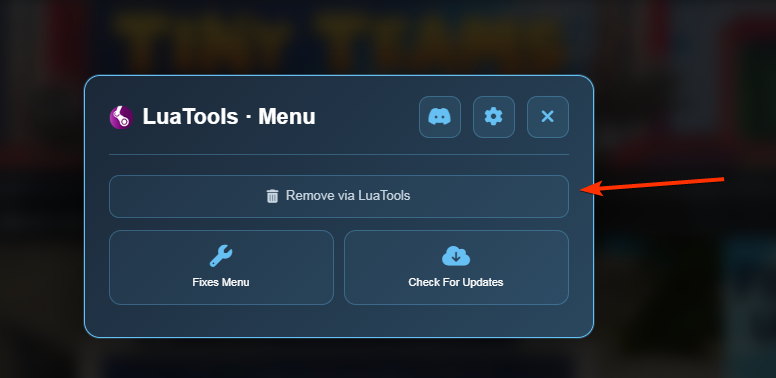
- Go to its store page → LuaTools icon →
- Apply a fix
- Go to its store page → LuaTools icon →
"Fixes Menu"→ This will open the LuaTools App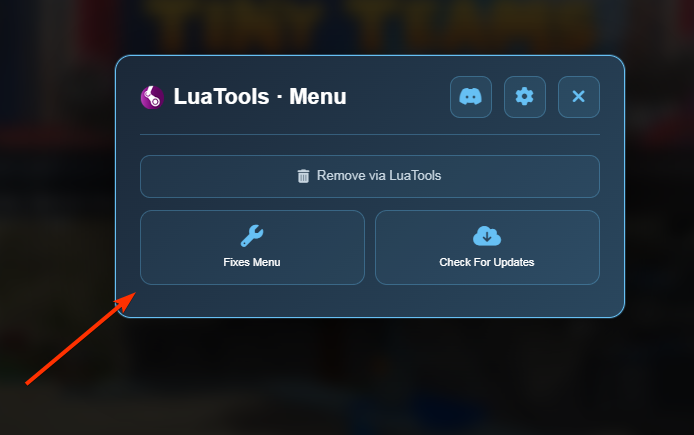
- Go to its store page → LuaTools icon →
Legacy Millennium-Only Plugin (EOS)
warning
This is the old installation method and is end-of-support. Use the app method above instead.
Run this in PowerShell (or go to link to download PowerShell file and execute it):
irm "https://ps.lua.tools/install-plugin.ps1" | iex
This will install OpenSteamTools, Millennium, and the LuaTools plugin.