Game Fixes
Game-specific fixes, online patches, and DRM bypasses are available through the LuaTools App and https://lua.tools/fixes. These "Fixes" are maintained by us and new ones can be submitted and broken ones reported at the link above!
Why would I need fixes?
LuaTools, by default, only helps you install the game through a manifest. If it's a multiplayer game that you have to play online, or is protected through Anti-tamper Software such as Denuvo, you would need a fix to actually be able to play the game.
What kind of fixes are available?
- Onlinefix
- Ubisoft Launcher Bypasses
- Rockstar Games Launcher Bypasses
- Voices38 Cracks
- Hypervisor (DenuvOwO) cracks
Browse Fixes
All fixes are listed at https://lua.tools/fixes.
Apply a Fix from the Plugin
Open the game's Steam store page → click the LuaTools icon → This will open the LuaTools app to the Fixes section for the game.
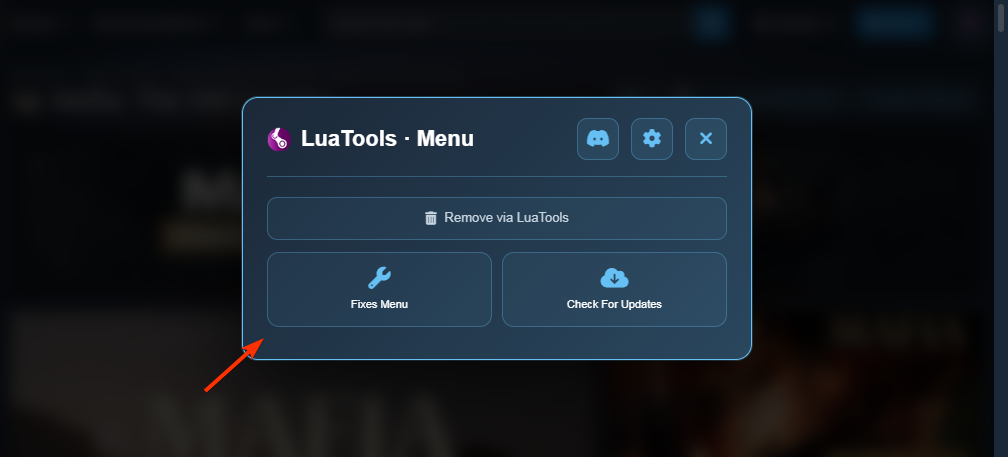
Apply a Fix from the App
Go to the "Fixes" tab on the sidebar → Search for the App to see if there is a Fix → Apply manifest first if it is proven, let Steam restart and update/install the App. Then apply fix.
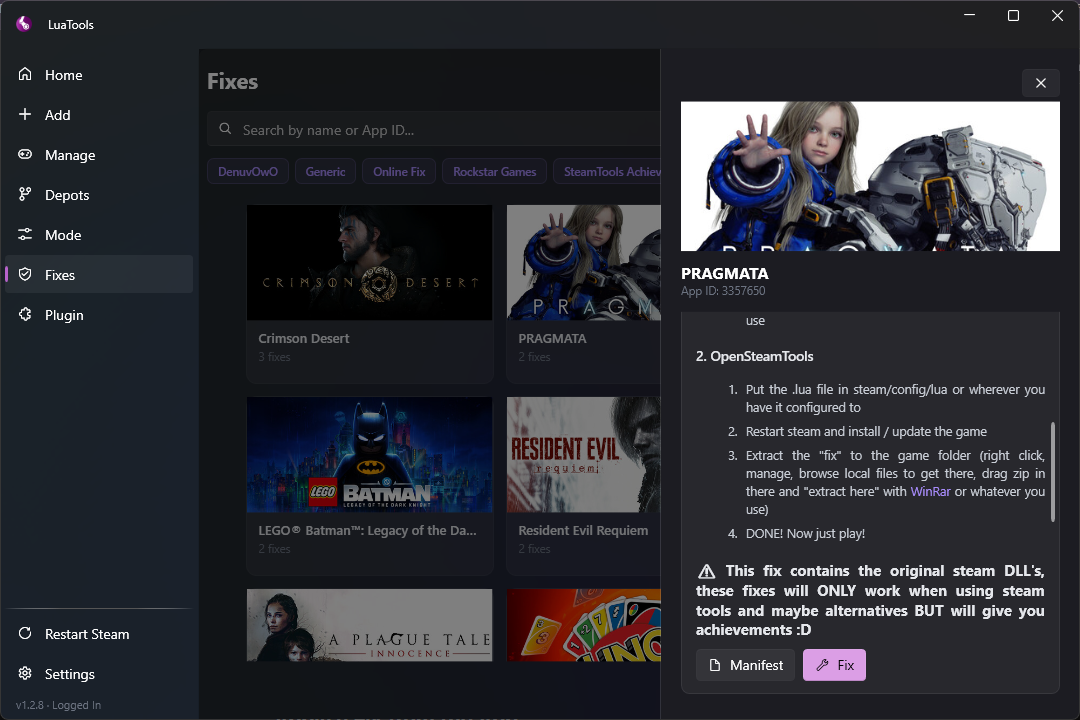
The legacy plugin's fixes are no longer maintained. The plugin now redirects you to the LuaTools app.